با سلام و درود
به بچه های گل یاهو ۹۸
این آخرین نسخه کتابخانه متریال دیالوگ می باشد.
نیازی هم به res نیست.
فقط کتابخانه رو ادد کنیددر فولدر لایبری هاتون
دانلود سورس
دانلود کتابخانه ها

پشتیبانی : 09352511893
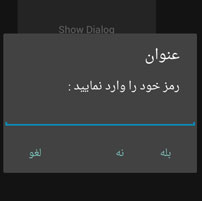
با سلام و درود
به بچه های گل یاهو ۹۸
این آخرین نسخه کتابخانه متریال دیالوگ می باشد.
نیازی هم به res نیست.
فقط کتابخانه رو ادد کنیددر فولدر لایبری هاتون
دانلود سورس
دانلود کتابخانه ها

سلام دوباره
امروز با کامل ترین سورس و آموزش متریال با شما هستیم.
این سورس را هیچ جای دیگر پیدا نخواهید کرد چون به تازه گی توسط خودم نوشته شده و کامل کامل هستش همراه با تمامی ریسورس ها و کتابخانه ها
اگر ین سورس را در جای دیگر دیدید به ما اطلاع دهید
Continue reading “کامل ترین سورس متریال در سطح نت با ۱/۴ قیمت”
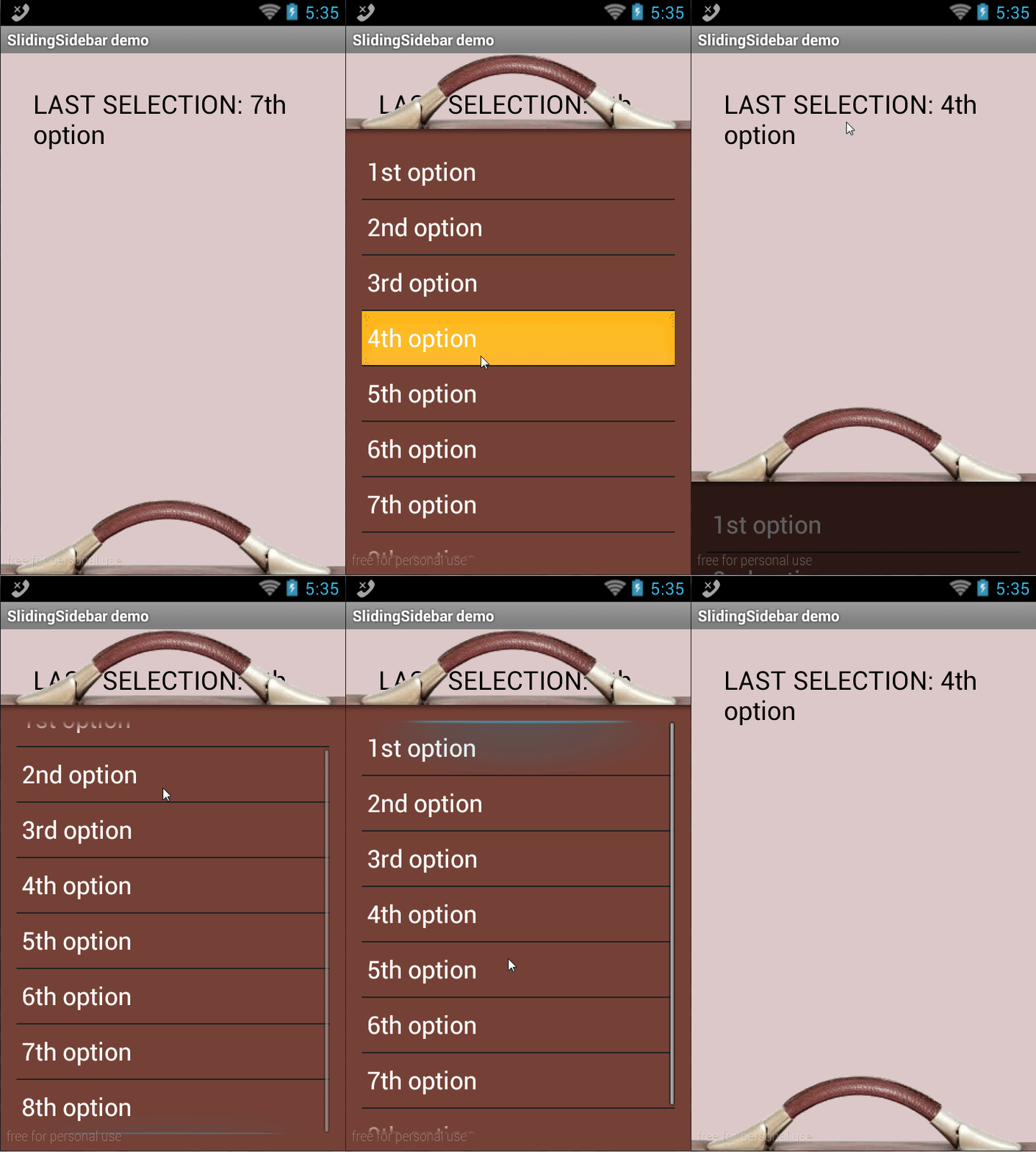
در این قسمت از سایت ۳ نوع سورس براتون پیوست کردم برای کار با منو هایی کشویی جرفه ای
دانلود سورس
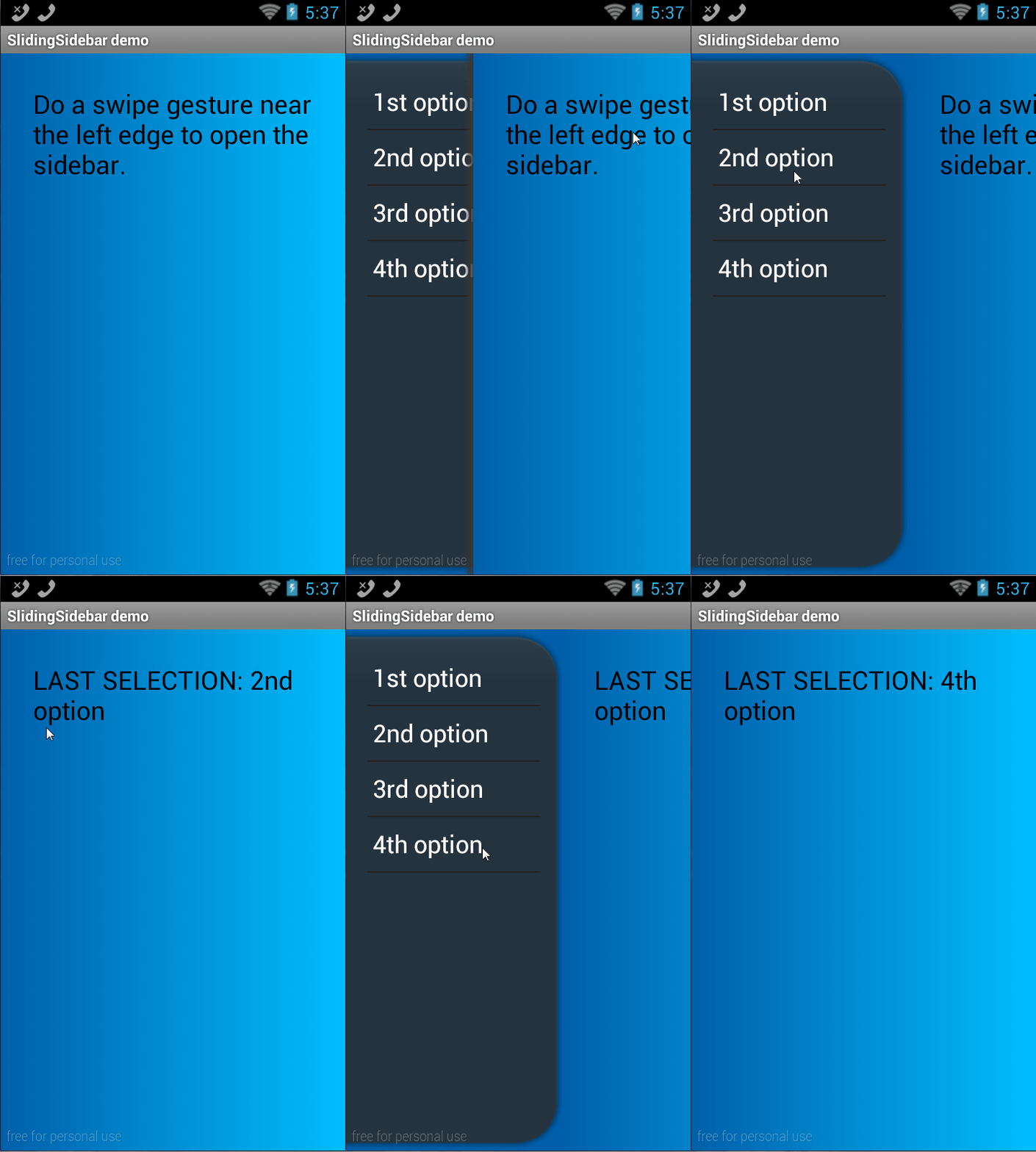
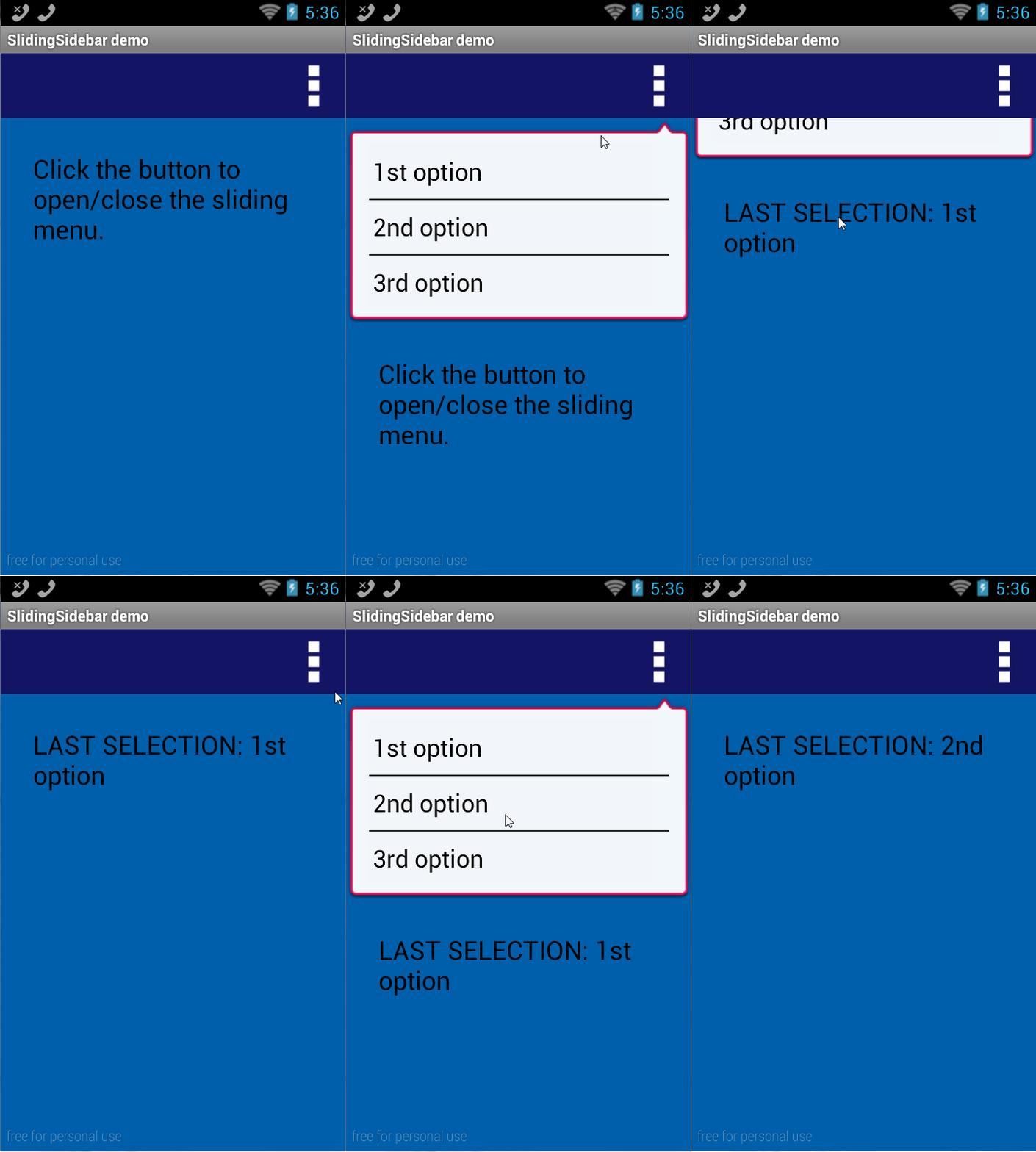
#Region Module Attributes
	#FullScreen: False
	#IncludeTitle: True
	#ApplicationLabel: SlidingSidebar demo
	#VersionCode: 1
	#VersionName:
	#SupportedOrientations: unspecified
	#CanInstallToExternalStorage: False
#End Region

'Activity module
Sub Process_Globals
	'These global variables will be declared once when the application starts.
	'These variables can be accessed from all modules.
End Sub

Sub Globals
	Dim PanelWithSidebar As ClsSlidingSidebar
	Dim lblInfo As Label
	Dim ivHandle, ivShadow As ImageView
	Dim pnlDarken As Panel
	Dim lvMenu As ListView
End Sub

Sub Activity_Create(FirstTime As Boolean)
	Dim LightBrown As Int
	LightBrown = Colors.RGB(220, 200, 200)
	Activity.Color = LightBrown

	PanelWithSidebar.Initialize(Activity, 100%y - 70dip, 3, 2, 400, 400)
	PanelWithSidebar.ContentPanel.Color = LightBrown
	PanelWithSidebar.Sidebar.Color = Colors.RGB(117, 65, 54)
	PanelWithSidebar.SetOnChangeListeners(Me, "Drawer_onFullyOpen", "Drawer_onFullyClosed", "Drawer_onMove")

	lblInfo.Initialize("")
	lblInfo.Text = "Drag the handle to open/close the drawer."
	lblInfo.TextColor = Colors.Black
	lblInfo.TextSize = 24
	PanelWithSidebar.ContentPanel.AddView(lblInfo, 30dip, 30dip, 100%x - 60dip, 100%y - 60dip)

	ivHandle.Initialize("")
	ivHandle.Background = LoadNinePatchDrawable("handle")
	PanelWithSidebar.AddOpenCloseHandle(ivHandle, 0, 100%x, 70dip, 0)

	lvMenu.Initialize("lvMenu")
	lvMenu.AddSingleLine("1st option")
	lvMenu.AddSingleLine("2nd option")
	lvMenu.AddSingleLine("3rd option")
	lvMenu.AddSingleLine("4th option")
	lvMenu.AddSingleLine("5th option")
	lvMenu.AddSingleLine("6th option")
	lvMenu.AddSingleLine("7th option")
	lvMenu.AddSingleLine("8th option")
	lvMenu.Color = Colors.Transparent
	lvMenu.ScrollingBackgroundColor = Colors.Transparent
	PanelWithSidebar.Sidebar.AddView(lvMenu, 15dip, 15dip, PanelWithSidebar.Sidebar.Width - 30dip, PanelWithSidebar.Sidebar.Height - 30dip)

	ivShadow.Initialize("")
	ivShadow.Background = PanelWithSidebar.LoadDrawable("code_lock_bottom")
	PanelWithSidebar.Sidebar.AddView(ivShadow, 0, 0, -1, 7dip)

	pnlDarken.Initialize("")
	pnlDarken.Color = Colors.ARGB(200, 0, 0, 0)
	PanelWithSidebar.Sidebar.AddView(pnlDarken, 0, 0, -1, -1)
End Sub

Sub Activity_Resume
End Sub

Sub Activity_Pause (UserClosed As Boolean)
End Sub

'Gets a 9-patch drawable from the application resources
Sub LoadNinePatchDrawable(ImageName As String) As Object
	Dim r As Reflector
	Dim package As String
	package = r.GetStaticField("anywheresoftware.b4a.BA", "packageName")
	Dim ID_Drawable As Int
	ID_Drawable = r.GetStaticField(package & ".R$drawable", ImageName)
	r.Target = r.GetContext
	r.Target = r.RunMethod("getResources")
	Return r.RunMethod2("getDrawable", ID_Drawable, "java.lang.int")
End Sub

Sub lvMenu_ItemClick (Position As Int, Value As Object)
	lblInfo.Text = "LAST SELECTION: " & Value
	PanelWithSidebar.CloseSidebar
End Sub

Sub Drawer_onFullyOpen
	Log("FULLY OPEN")
End Sub

Sub Drawer_onFullyClosed
	Log("FULLY CLOSED")
End Sub

Sub Drawer_onMove(IsOpening As Boolean)
	Log("MOVE IsOpening=" & IsOpening)

	Dim Transparency As Float
	Transparency = 1 - ((100%y - PanelWithSidebar.Sidebar.Top) / PanelWithSidebar.Sidebar.Height)
	pnlDarken.Color = Colors.ARGB(Transparency * 200, 0, 0, 0)
End Sub
به درود
بنا به درخواست دوستان
دانلود سورس
#Region  Project Attributes
	#ApplicationLabel: B4A Example
	#VersionCode: 1
	#VersionName:
	'SupportedOrientations possible values: unspecified, landscape or portrait.
	#SupportedOrientations: unspecified
	#CanInstallToExternalStorage: False
#End Region

#Region  Activity Attributes
	#FullScreen: False
	#IncludeTitle: True
#End Region

Sub Process_Globals
	'These global variables will be declared once when the application starts.
	'These variables can be accessed from all modules.

End Sub

Sub Globals
	'These global variables will be redeclared each time the activity is created.
	'These variables can only be accessed from this module.

	Private RadioButton1 As RadioButton
	Private RadioButton2 As RadioButton
	Private Button1 As Button
End Sub

Sub Activity_Create(FirstTime As Boolean)
	'Do not forget to load the layout file created with the visual designer. For example:
	Activity.LoadLayout("1")

End Sub

Sub Activity_Resume

End Sub

Sub Activity_Pause (UserClosed As Boolean)

End Sub


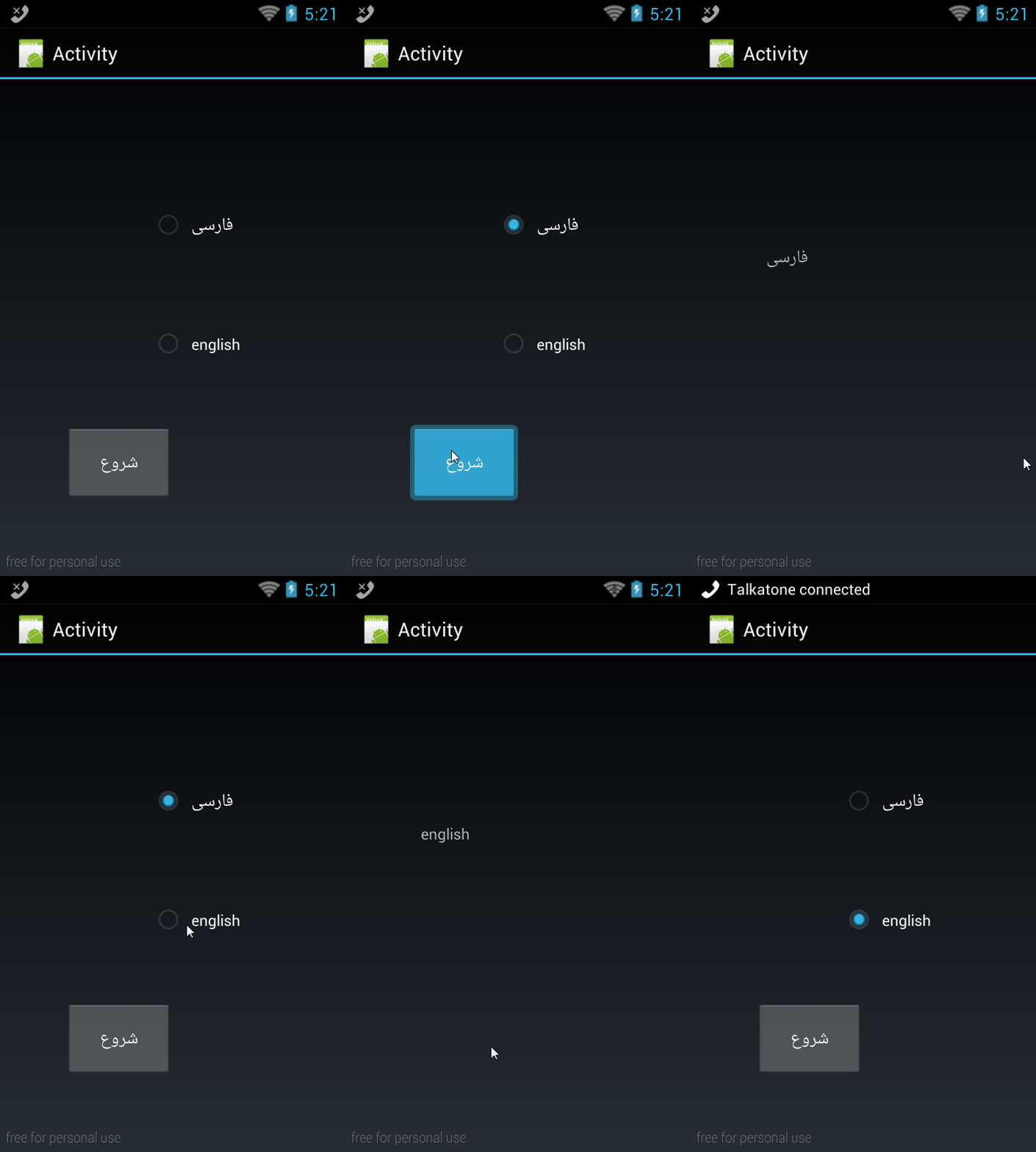
Sub RadioButton2_CheckedChange(Checked As Boolean)
	If Checked Then
		File.Copy(File.DirAssets,"en.txt",File.DirInternal,"en.txt")
		If File.Exists(File.DirInternal,"fa.txt") Then
			File.Delete(File.DirInternal,"fa.txt")
		End If
	End If
End Sub

Sub RadioButton1_CheckedChange(Checked As Boolean)
	If Checked Then
		File.Copy(File.DirAssets,"fa.txt",File.DirInternal,"fa.txt")
		If File.Exists(File.DirInternal,"en.txt") Then
			File.Delete(File.DirInternal,"en.txt")
		End If
	End If
End Sub

Sub Button1_Click

	StartActivity(mainasli)
End Sub
با سلام و درود
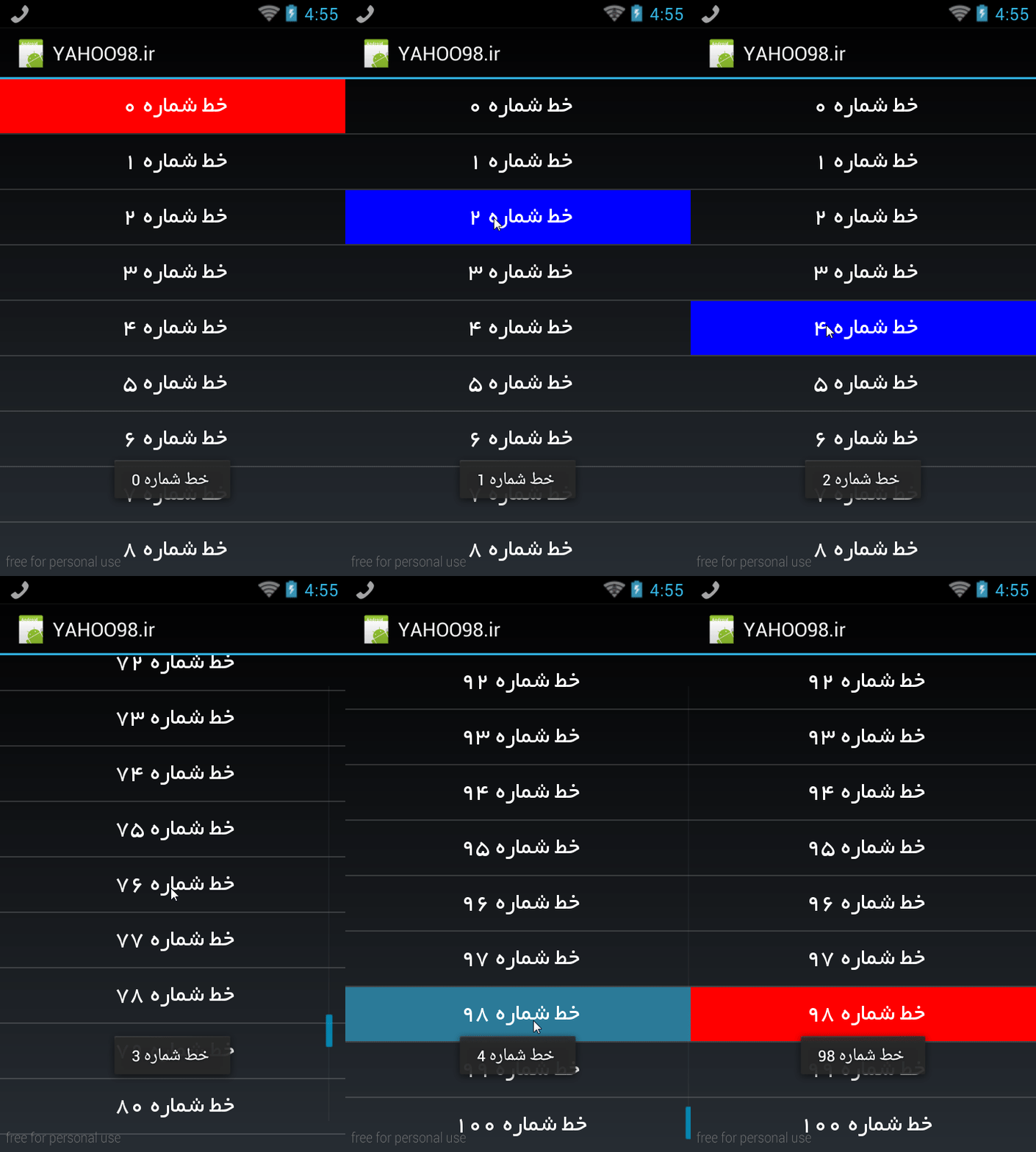
در این سورس Scroll View Colors یاد میگیرید که به آیتم های لود شده در اسکرول ویو چطوری برا کلیک و رها کردن کلیک رنگ بدید .
دانلود سورس
#Region  Project Attributes
	#ApplicationLabel: ScrollViewColors
	#VersionCode: 1
	#VersionName:
	'SupportedOrientations possible values: unspecified, landscape or portrait.
	#SupportedOrientations: unspecified
	#CanInstallToExternalStorage: False
#End Region


#Region  Activity Attributes
	#FullScreen: False
	#IncludeTitle: True
#End Region

Sub Process_Globals
End Sub

Sub Globals

	Private ListView1 As ListView
	Dim click1,click2 As ColorDrawable
	Dim SLLVOnScroll1 As SLLVOnScroll

End Sub

Sub Activity_Create(FirstTime As Boolean)
	Activity.LoadLayout("1")

	click1.Initialize(Colors.Blue,0)  ' رنگ اول
	click2.Initialize(Colors.Red,0) 'رنگ دوم

	SLLVOnScroll1.Initialize(ListView1,"ListView1",click1,click2)

	For i = 0 To 100
		ListView1.AddSingleLine(" خط شماره "&i)
	Next
	ListView1.SingleLineLayout.Label.Gravity=Gravity.CENTER
	ListView1.SingleLineLayout.Label.Typeface=Typeface.LoadFromAssets("byekan.ttf")
	ListView1.FastScrollEnabled=True
End Sub

Sub Activity_Resume

End Sub

Sub Activity_Pause (UserClosed As Boolean)

End Sub

Sub ListView1_ItemClick (Position As Int, Value As Object)
	ToastMessageShow(Value,False)
End Sub
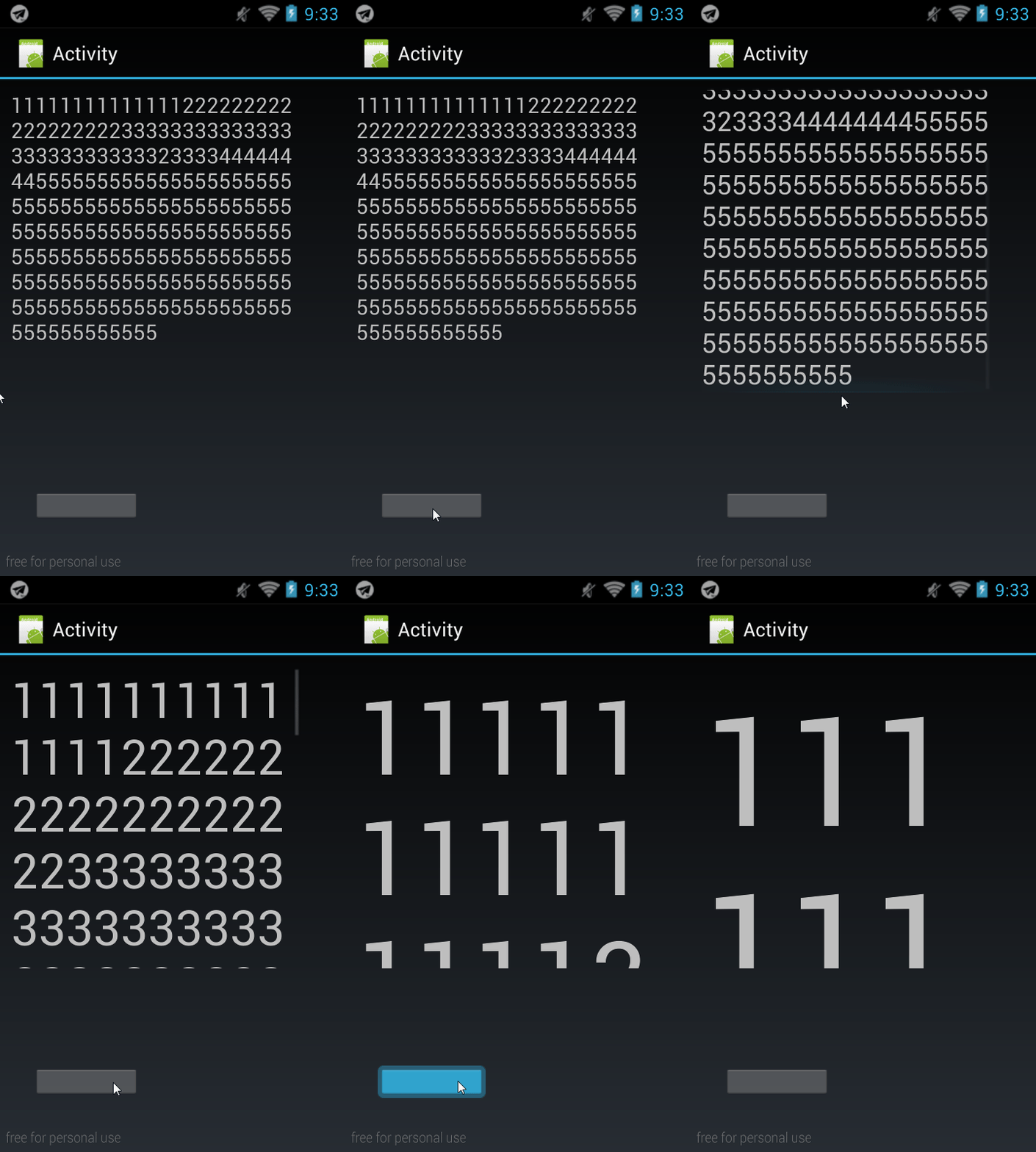
در این ساعت از سایت می پردازیم به کار با کتابخانه TextSetting
کتابخانه و سورس پیوست شد .
کد های سورس و شات گیفت
دانلود سورس
#Region  Project Attributes
	#ApplicationLabel: B4A Example
	#VersionCode: 1
	#VersionName:
	'SupportedOrientations possible values: unspecified, landscape or portrait.
	#SupportedOrientations: unspecified
	#CanInstallToExternalStorage: False
#End Region

#Region  Activity Attributes
	#FullScreen: False
	#IncludeTitle: True
#End Region

Sub Process_Globals
	'These global variables will be declared once when the application starts.
	'These variables can be accessed from all modules.

End Sub

Sub Globals
	'These global variables will be redeclared each time the activity is created.
	'These variables can only be accessed from this module.

	Private ScrollView1 As ScrollView
	Dim t As TextSetting
	Dim l As Label

	Dim F As Int
	Private Button1 As Button
	Private Label1 As Label
End Sub

Sub Activity_Create(FirstTime As Boolean)
	'Do not forget to load the layout file created with the visual designer. For example:
	Activity.LoadLayout("1")
t.Initialize
'l.Initialize("l")
	ScrollView1.Panel.LoadLayout("2")
'l.Text="111111111111112222222222222222223333333333333333333333333323333444444445555555555555555555555555555555555555555555555555555555555555555555555555555555555555555555555555555555555555555555555555555555555555555555555555555"
Label1.Text="111111111111112222222222222222223333333333333333333333333323333444444445555555555555555555555555555555555555555555555555555555555555555555555555555555555555555555555555555555555555555555555555555555555555555555555555555"
'ScrollView1.Panel.AddView(l,0+10dip,0,100%x-200dip,100%y)
Label1.TextSize=20
	F=20
	Start
End Sub

Sub Activity_Resume

End Sub

Sub Activity_Pause (UserClosed As Boolean)

End Sub

Sub Start
	t.LongText(Label1,Label1.Text,F,ScrollView1,1.5)
'	l.Color=Colors.Transparent
	ScrollView1.Color=Colors.Transparent
'	l.TextColor=Colors.Green
End Sub

Sub Button1_Click
	F=F+5
	Start
End Sub
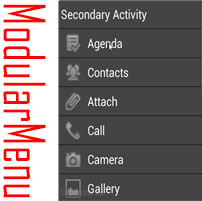
درود خدمت کاربران عزیز
همه چی در شات گیفت مشخصه
سمپل و کتابخانه ModularMenu برای منو کشویی عکس دار
ان شاءالله کاربردی باشه براتون


با سلام
به در خواست دوستان تصمیم گرفتم که کتابخانه های مورد نیاز هر برنامه نویس رو براتون مهیای کنم.
Continue reading “پکیج کاملی از کتابخانه های مورد نیاز بیسیک فور اندروید”

با سلام و شب بخیر خدمت تک تک کاربران عزیز سایت
یکی از دوستان درخواست کرده بود که میخواد از فایل TXT که درون هاست هست متن رو در برنامه نمایش بده.
یک ویدو کوتاه و یه سورس چند خطی به وسیله کتابخانه HttpUtild2 براشون نوشتم که در فیلم زیر میتونید مشاهده کنید.
با سپاس

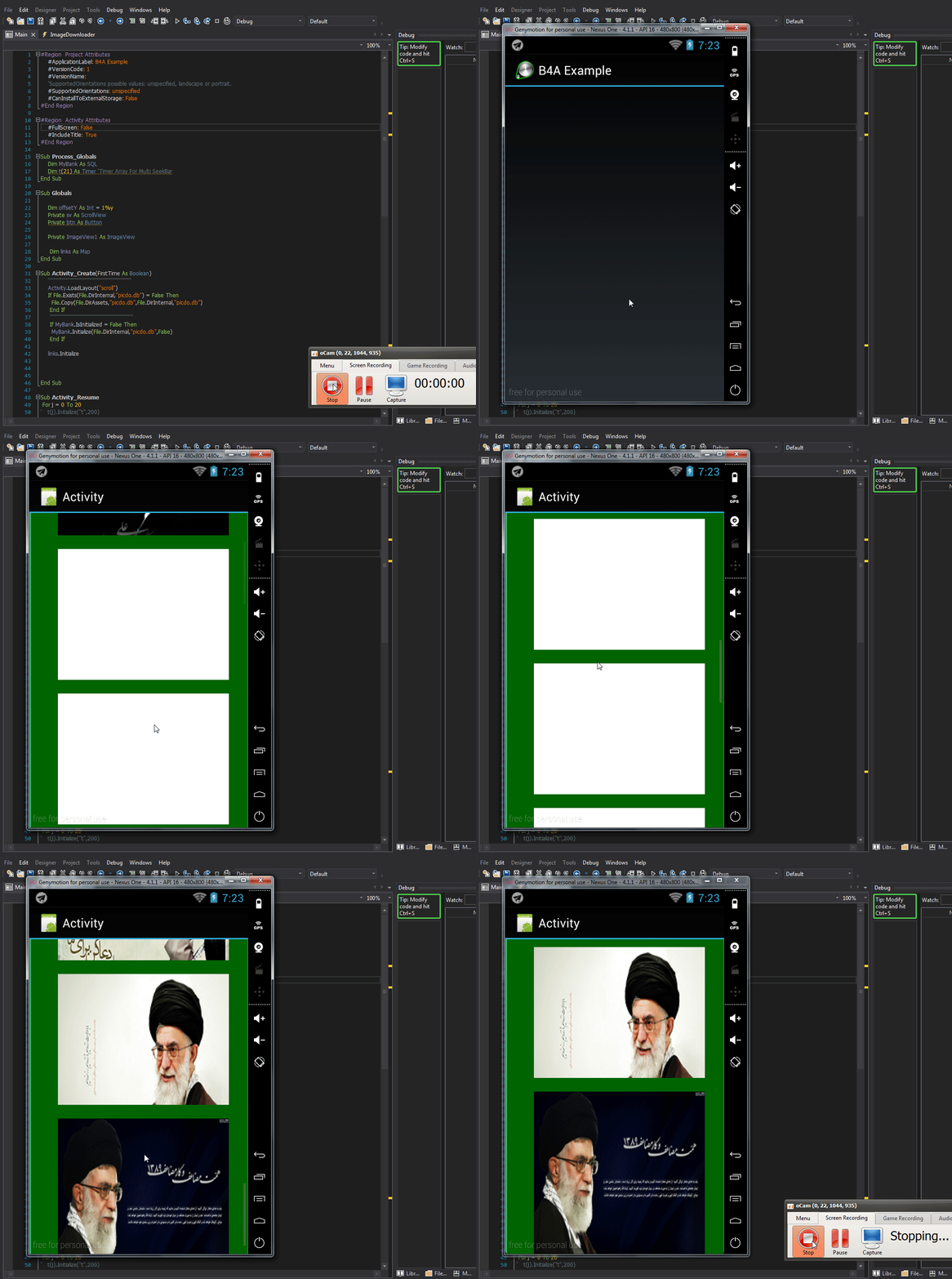
با درود
یه سورسی براتون مهیا کردم که پیش نیاز اکثر دوستان هست به این صورت که :
ما بوسیله دیتابیس آفلاین عکس هایی که در هاست یا جایی مثل پیکوفایل آپلود کردیم.
رو لینکشون رو در دیتابیس آفلاین در داخل برنامه میزاریم و بعد برنامه وقتی اجراشد .
میاد عکس ها رو از لینک ها میخونه و در ایمیج ویو ها که در اسکرول قرار دادیم نمایش میده.
حالا شما میتونید بوسیله کتابخانه پیکاشو کش برا عکس ها بزارید یعنی عکس هارو دانلود و در موقع آفلاین بودن هم باز نمایش بدید.
با سپاس


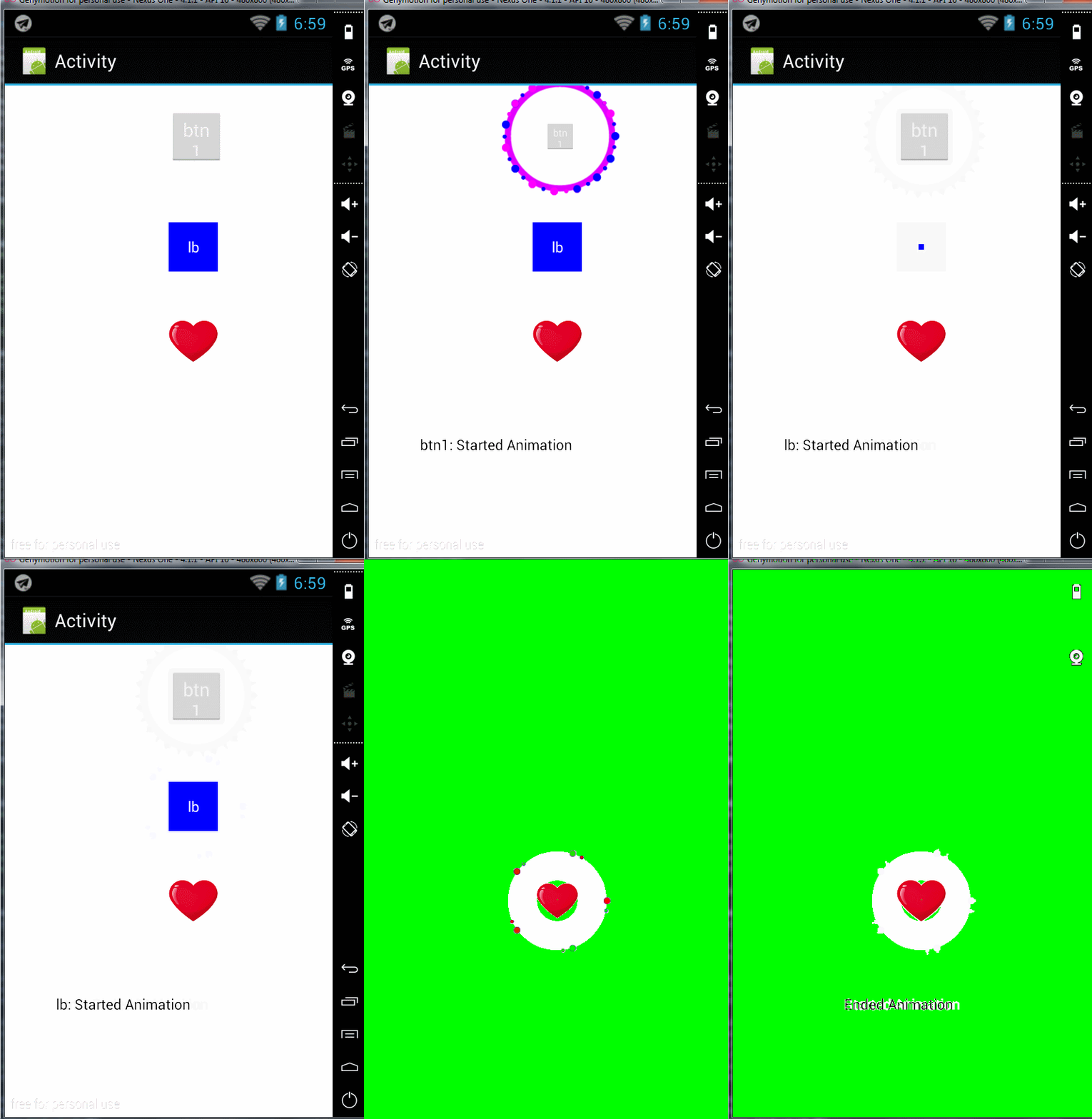
با سلام
این کتابخانه بی نظیر افکت رو همراه با کتابخانه که پیوست شده از دست ندید.
با سپاس
دانلود سورس
با درود و سپاس
ایجاد افکت با تایمر در TXT
دانلود سورس
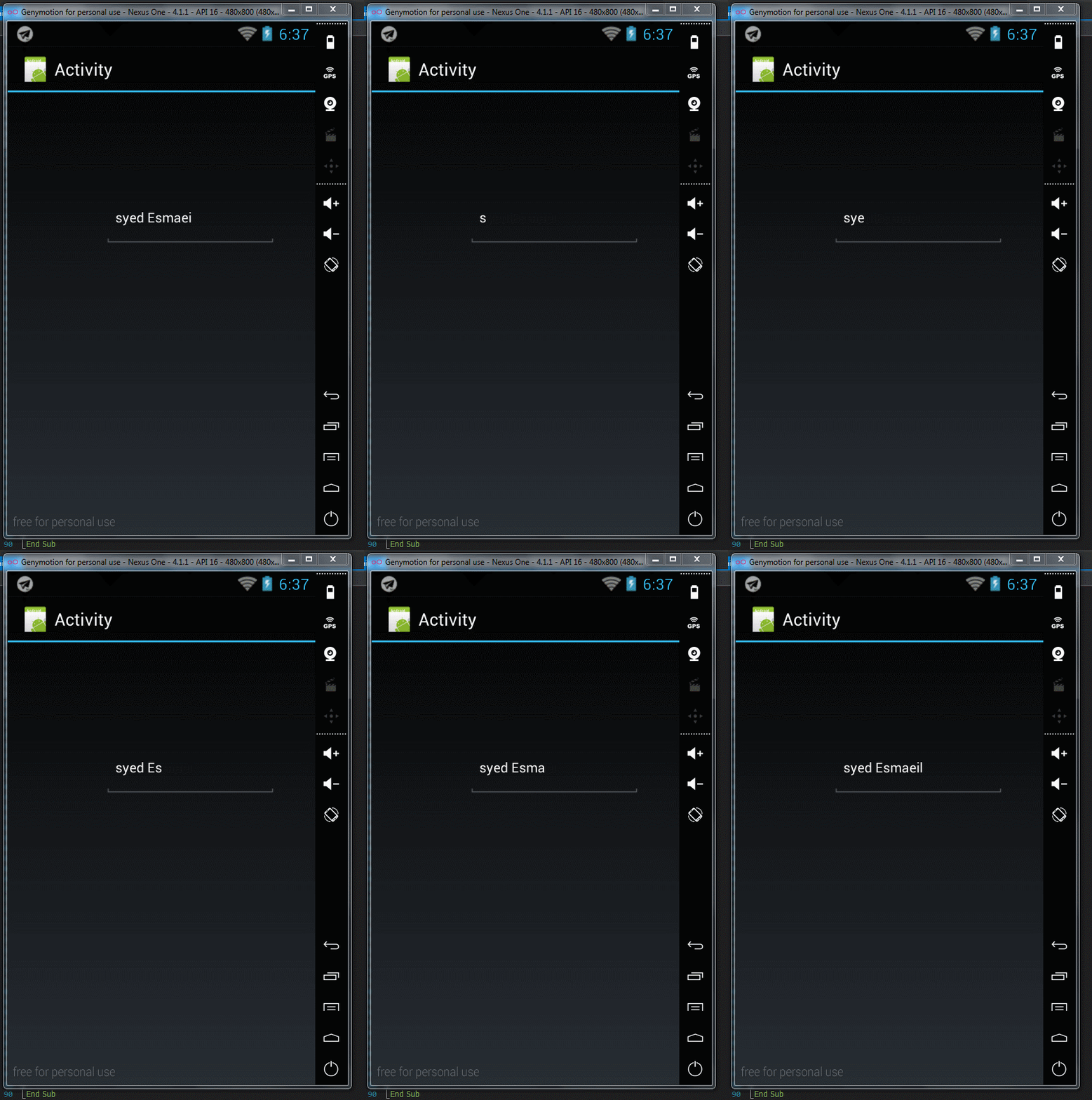
#Region  Project Attributes
	#ApplicationLabel: B4A Example
	#VersionCode: 1
	#VersionName:
	'SupportedOrientations possible values: unspecified, landscape or portrait.
	#SupportedOrientations: unspecified
	#CanInstallToExternalStorage: False
#End Region

#Region  Activity Attributes
	#FullScreen: False
	#IncludeTitle: True
#End Region

Sub Process_Globals
	'These global variables will be declared once when the application starts.
	'These variables can be accessed from all modules.

End Sub

Sub Globals
	'These global variables will be redeclared each time the activity is created.
	'These variables can only be accessed from this module.
    Dim tm1  As Timer
    Dim plas As Int = 0
	Private logo_txt As EditText
End Sub

Sub Activity_Create(FirstTime As Boolean)
	'Do not forget to load the layout file created with the visual designer. For example:
	Activity.LoadLayout("sasa")
	tm1.Initialize("tm1",500)
	tm1.Enabled = True
End Sub
Sub tm1_Tick


 If plas = 0 Then
	   logo_txt.Text = ""

Else If plas = 1 Then
	    logo_txt.Text = "s"

Else If plas = 2 Then
	    logo_txt.Text = "sy"

Else If plas = 3 Then
	    logo_txt.Text = "sye"

Else If plas = 4 Then
	    logo_txt.Text = "syed"

Else If plas = 5 Then
	    logo_txt.Text = "syed E"

Else If plas = 6 Then
	    logo_txt.Text = "syed Es"

Else If plas = 7 Then
	    logo_txt.Text = "syed Esm"

Else If plas = 8 Then
	    logo_txt.Text = "syed Esma"

Else If plas = 9 Then
	    logo_txt.Text = "syed Esmae"

Else If plas = 10 Then
	    logo_txt.Text = "syed Esmaei"

Else If plas = 11 Then
	    logo_txt.Text = "syed Esmaeil"
End If


plas = plas  + 1


If plas = 12 Then
   plas = 0
End If

End Sub
Sub Activity_Resume

End Sub

Sub Activity_Pause (UserClosed As Boolean)

End Sub

با درورد
سورس به رایگان که در اکثر سایت ها پولی گذاشتن
دقیقا توضیحاتشونم اینه خخخخخخخخخخخخخخخخخخخخخخ
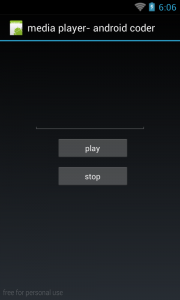
سورس موزیک پلیر با زبان بیسیک ۴ اندروید
امیدوارم از این سورس لذت ببرید
سورس با حجم کم و کد نویسی اصولی
طراحی به عهده خریدار میباشد
قیمتشم زده ۱۲ تومن
دانلود سورس

با سپاس
یا این سورس شما میتونید برای برنامه هاتون قابلیت اسکرول بدون اصابت دست کاملا اتوماتیک و با تنظیم سرعت اضافه کنید .
Continue reading “سورس کد اسکرول کردن اتوماتیک با تنظیمات سرعت”